Access to User Activity Tracking requires the appropriate management roles.
If you do not see this feature or cannot perform certain actions, it may be due to your current permission level. Please contact your Packet Power representative to discuss access options or potential system upgrades.
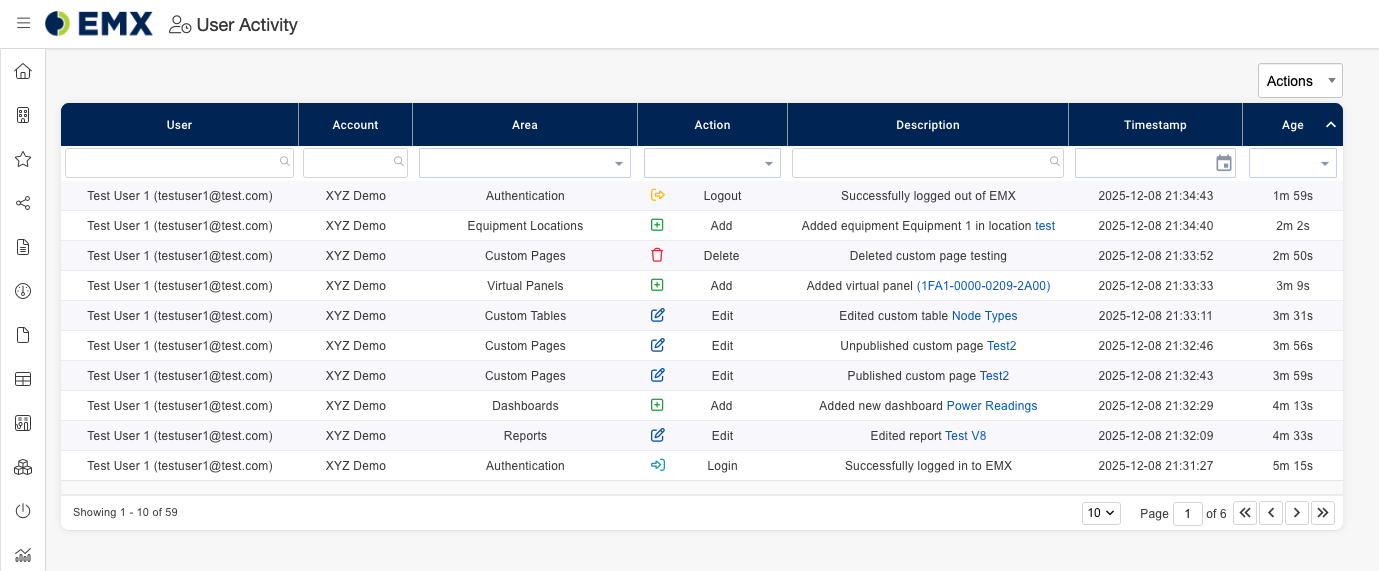
User Activity is a management feature that allows managers to monitor all of their managed users actions within EMX for the past 90 days. Each activity record provides the following information:
-
User – the individual who performed the action
-
Account – the account the user was in when performing the action
-
Area – the location within EMX where the activity took place (e.g., Reports, Dashboards, Authentication, etc.)
-
Action – the type of activity (e.g., Add, Edit, Delete, Login, Logout, etc.)
-
Description – details about the activity
-
Timestamp – when the activity occurred
-
Age – how long ago the activity took place
Accessing User Activity:
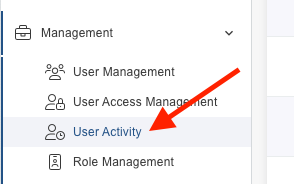
Go to the EMX sidebar and navigate to: Management → User Activity
Exporting User Activity:
-
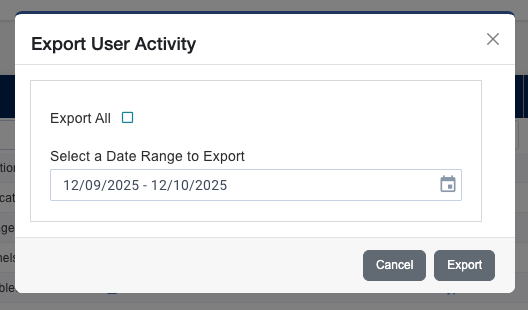
Click the Table Actions dropdown and select Export CSV.
-
Choose your export scope:
-
Check Export All to export all records in the table, or
-
Select a specific time period or single date to export activity within that range.
-
-
Click Export to download the CSV file.